Case Study · 2021 — 2022
Amplify. Unifying a fragmented ecosystem into one platform.
A US-based barbershop management platform serving 8 user roles — redesigned from the ground up to eliminate workflow fragmentation and deliver a seamless experience across every seat in the business.
01 — Overview
One industry. Eight user roles. Zero unified experience.
My Role
End-to-end product design — user research, information architecture, wireframes, high-fidelity UI across all user roles, design system, and developer handoff.
02 — The Problem
The platform existed. The experience didn't.
01
Owners couldn't run their business from the platform.
No visibility into employee schedules. No way to upsell products from within the workflow. Reporting and store demand data existed, but not in a form that supported real decisions.
02
Barbers and employees couldn't manage appointments reliably.
Walk-ins, phone calls, and messages all needed to be handled manually — and there was no single place to do it. Scheduling created constant conflicts because availability, service duration, and chair assignments weren't connected.
03
Clients couldn't book appointments independently.
There was no self-serve booking flow that worked. Clients were being redirected to third-party platforms — which meant Amplify wasn't capturing the most basic interaction in the barbershop business.
The data confirmed the friction was systemic
of booking-related steps were redundant
of navigation paths caused user hesitation
longer task completion vs benchmarks
"This wasn't a UI problem. It was a structural one."
03 — Research & Discovery
We interviewed every role before touching a single screen.
Method 01
User Interviews
Direct sessions with owners, barbers, employees, and clients to surface pain points, workarounds, and unmet needs across the booking and management lifecycle.
Method 02
Heuristic & Usability Review
Evaluated the existing platform against core usability principles — booking flow, scheduling management, and navigation structure. Issues found: redundant steps, inconsistent navigation, no visual hierarchy.
Method 03
Workflow & Journey Analysis
Mapped every user journey from entry to completion — booking, scheduling, shop management, walk-in handling. Gaps between intended flows and actual behaviour surfaced clearly.
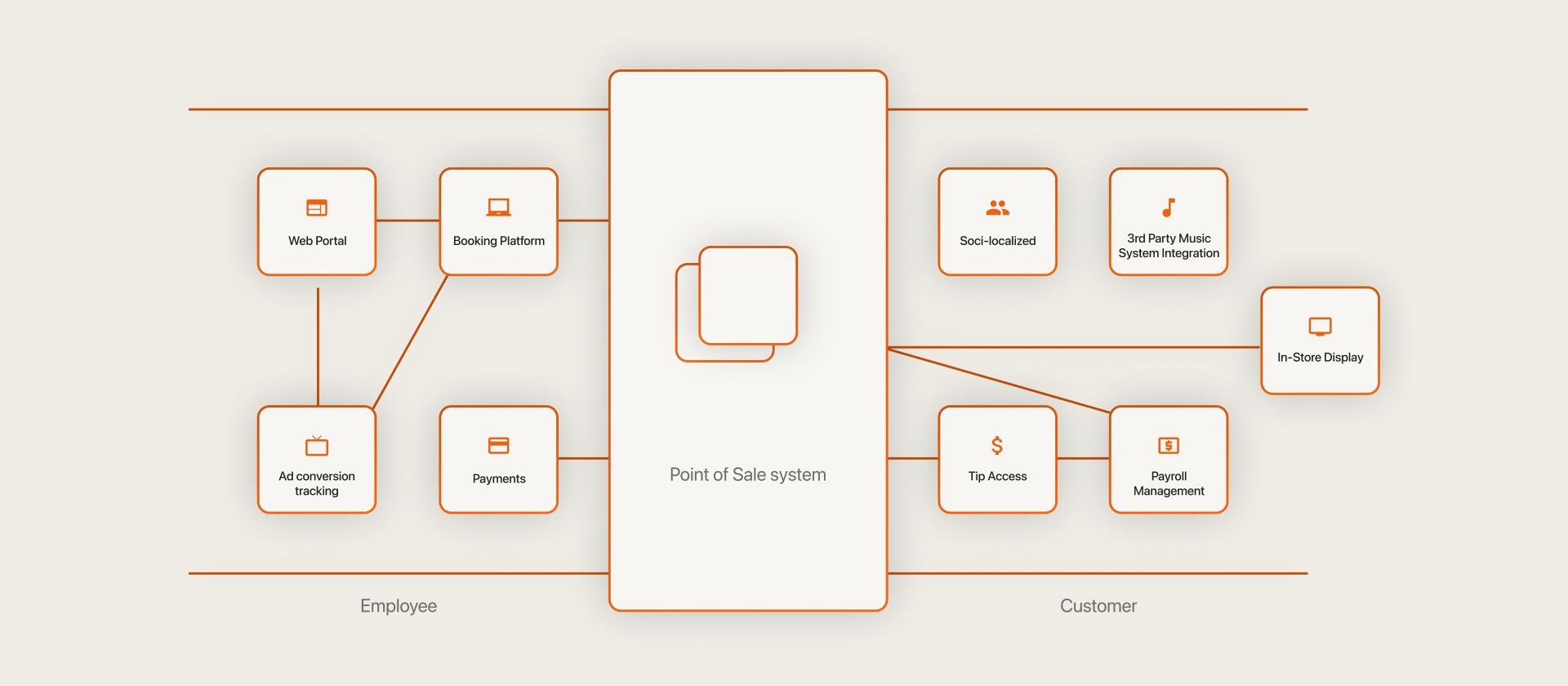
01
Booking was broken for everyone
Clients couldn't self-serve. Barbers were booking on behalf of clients through manual channels. The same appointment was being created through three different paths with no single source of truth.
02
Scheduling was a conflict engine
No shared view of barber availability, service duration, and time slot capacity. Every scheduling decision required mental calculation or a conversation.
03
Owners were flying blind
No consolidated view of store demand, employee productivity, or product sales. Management decisions were based on memory and manual tracking.
04
The navigation had no logic
The same action was accessed through different paths depending on which part of the app you were in. No consistent information architecture across roles.
04 — The Hardest Problem
Four elements. Weeks of thinking. One seamless booking.
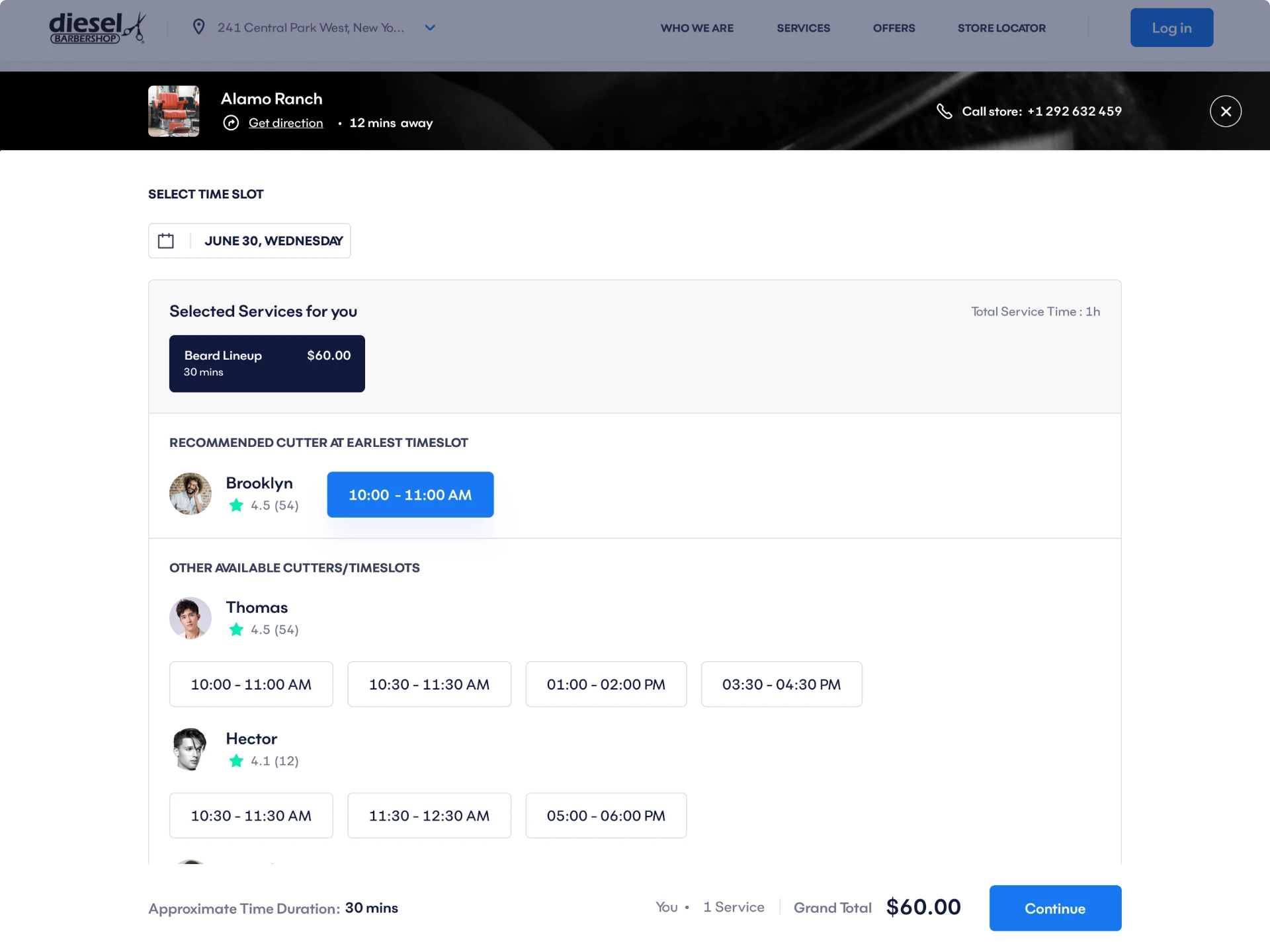
The 4 Interdependent Variables
01
Date & Time
02
Barber Availability
03
Service
04
Timeslot
Change one → all others shift
How we solved it
Most booking systems solve this by forcing users to make selections in a fixed sequence and reloading the options at each step — which is slow, confusing, and breaks the moment a user changes their mind.
We designed the four elements as a single connected component — a real-time availability matrix that updates all four variables simultaneously as the user makes any single selection. No reloads. No locked sequences. No dead ends.
The client picks any starting point — a barber they prefer, a time that works, a service they want — and the system shows what's possible from there. Unavailable combinations are hidden, not blocked with error messages.
"It sounds simple. It took weeks to get right. But the result was a booking flow that felt like it had no moving parts."
05 — Solution
One system. Eight roles. Every workflow covered.
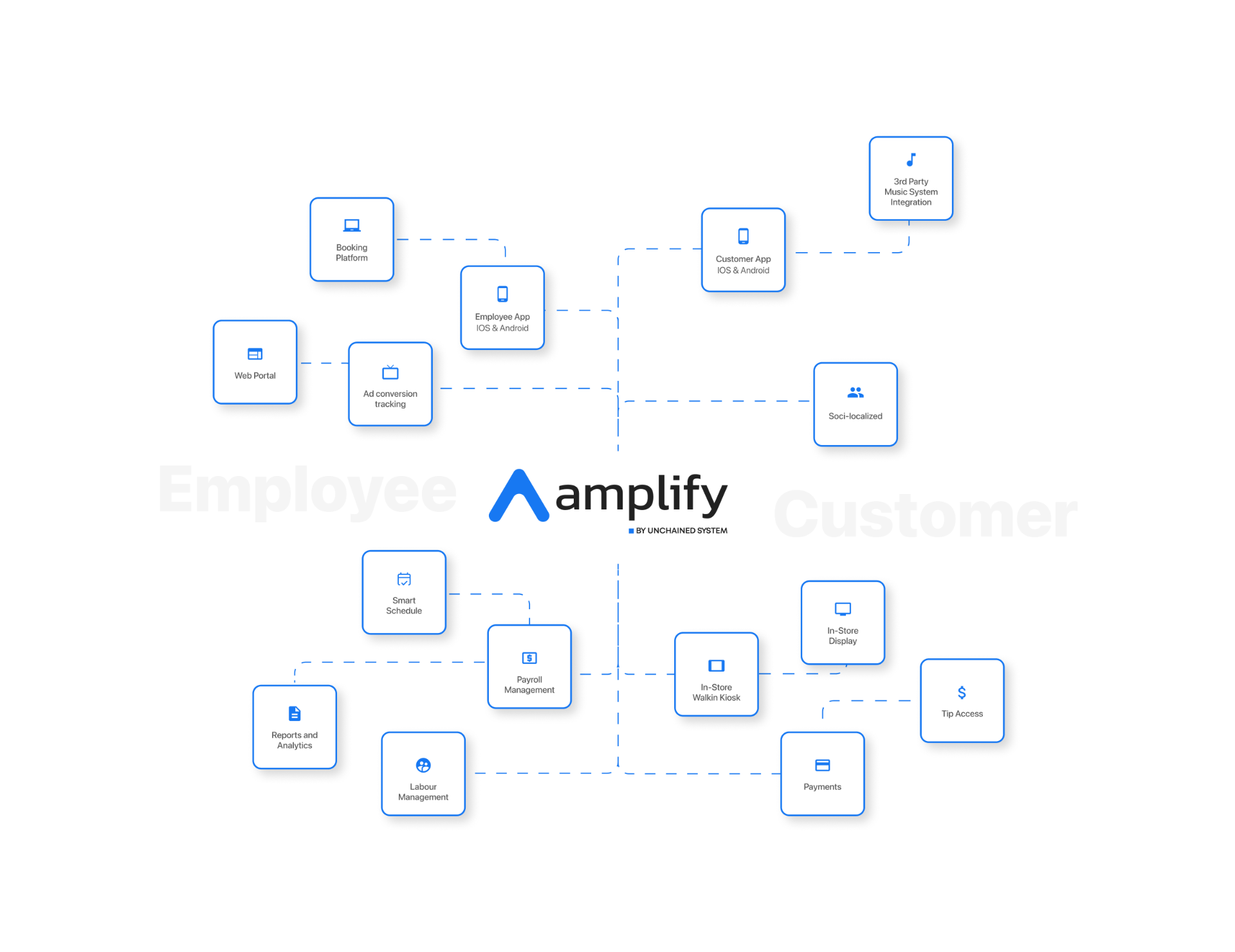
Booking
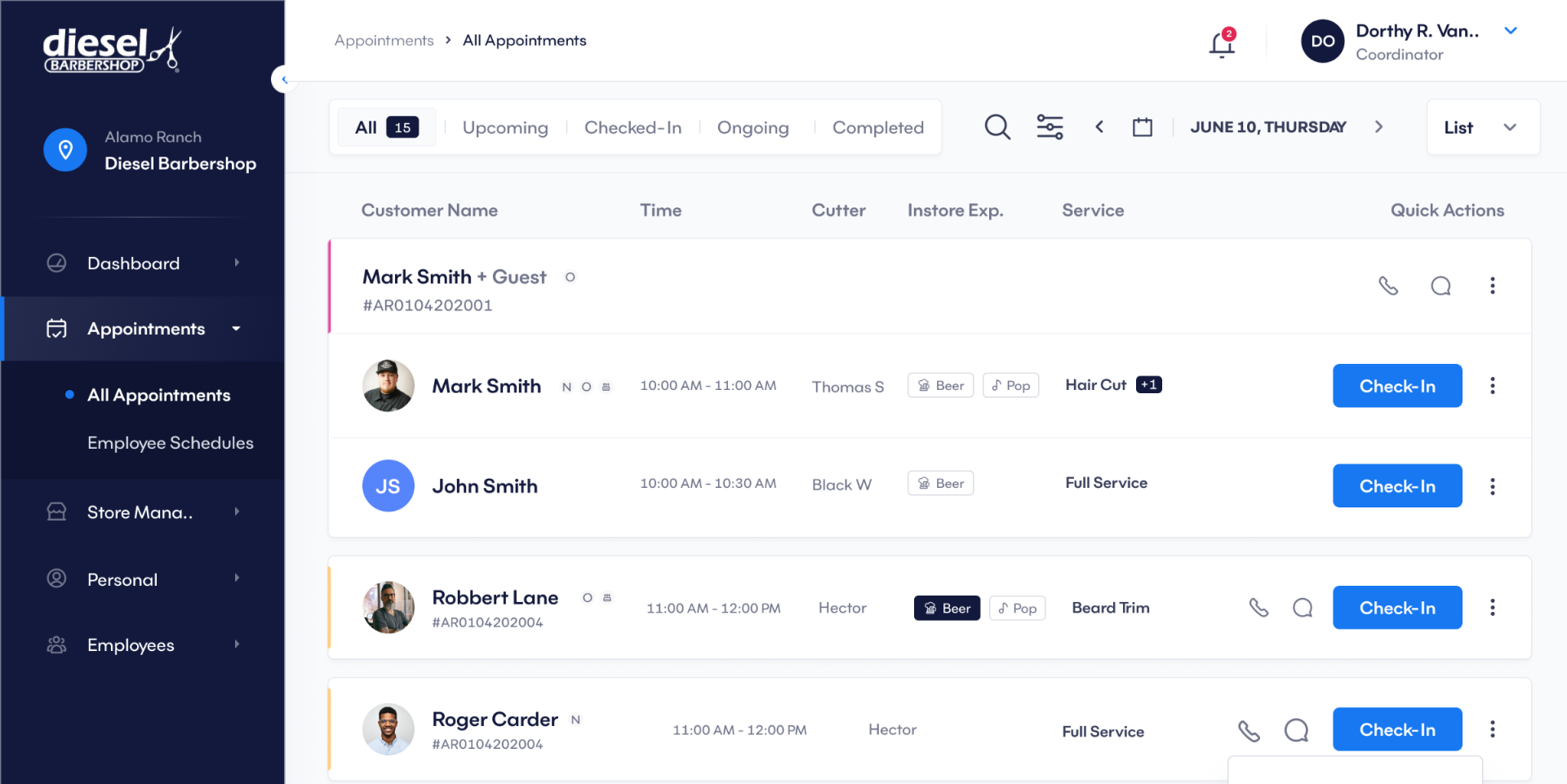
Simplified Booking & Appointments
The client-facing booking flow was reduced to its essential steps — date, barber, service, timeslot — presented as a single connected experience. Employees and barbers got a parallel flow for handling walk-ins, calls, and messages, feeding into the same scheduling system.
Dashboards
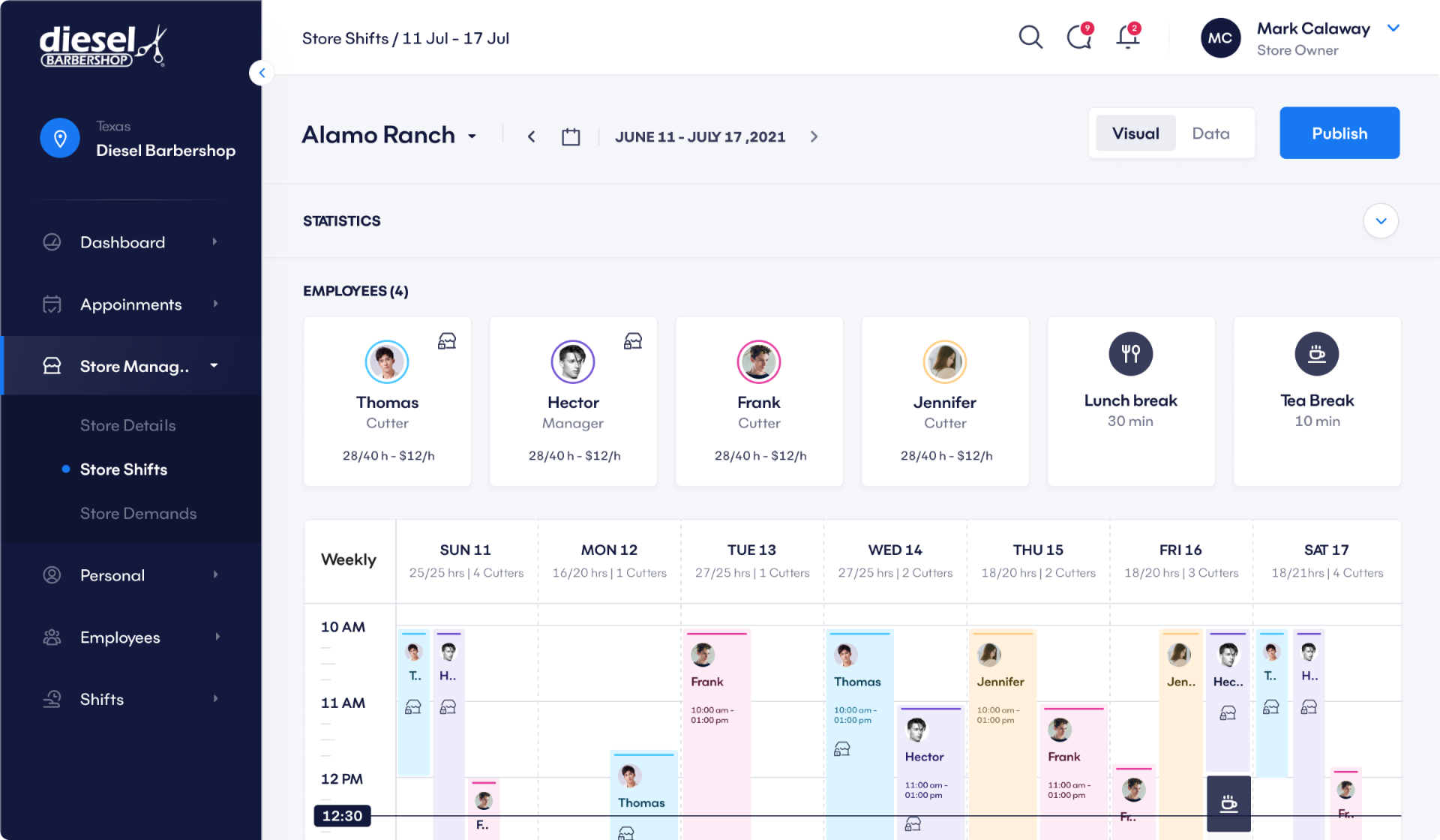
Role-Appropriate Dashboards
Each role got a view calibrated to their actual work. Managers and owners got the Store Demand screen — a data view that uses historical patterns to surface the busiest periods, so staffing and scheduling decisions are proactive rather than reactive.
Navigation
Unified Navigation Architecture
A consistent navigation structure across all eight roles, with clear hierarchy and predictable paths. The same mental model works whether you're a barber checking your schedule or a franchise owner reviewing performance across locations.
Design System
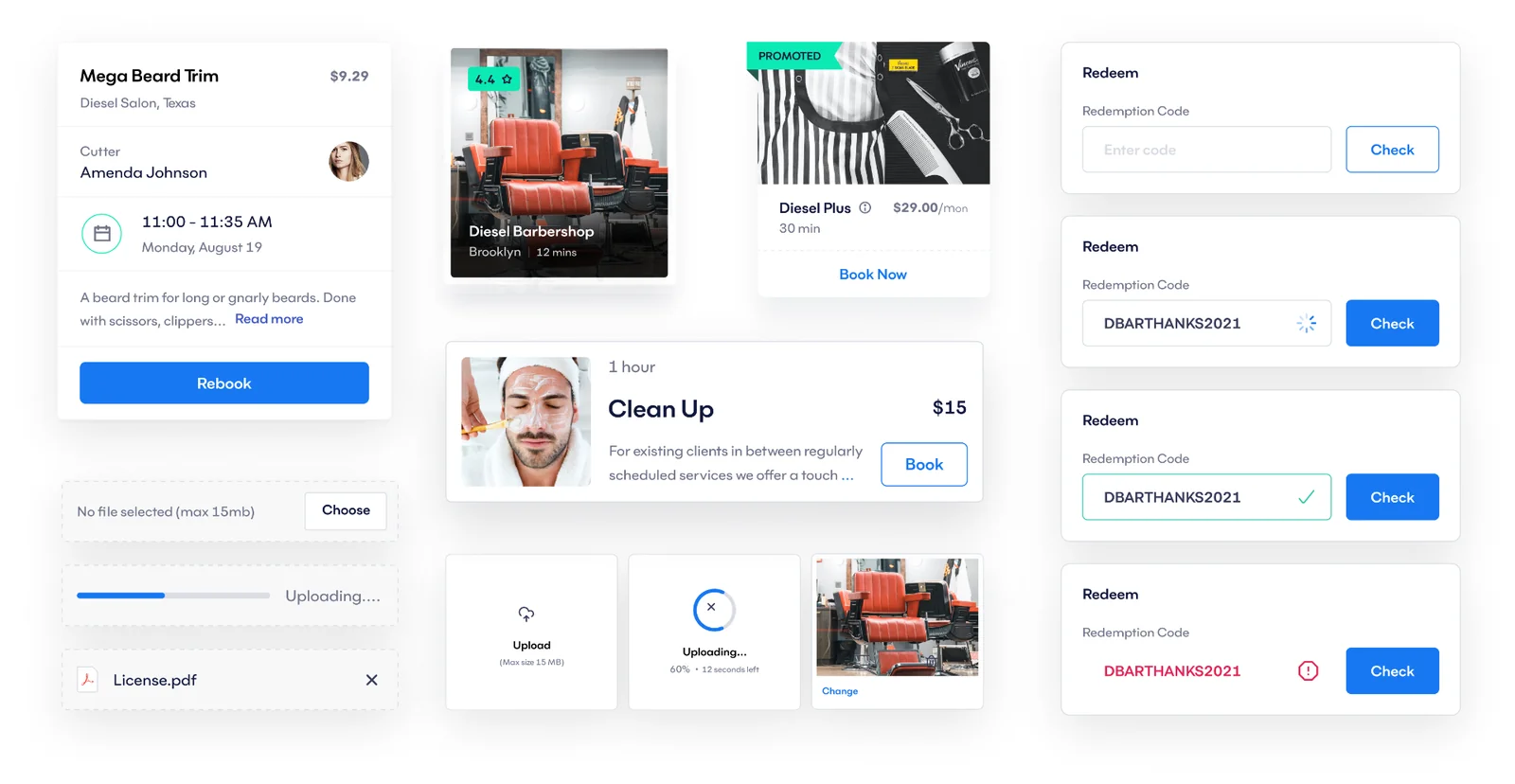
Scalable Design System
A component and token architecture built to cover the full scope of the platform — consistent grid, reusable UI components, defined interaction states — so the product could grow without accumulating design debt.
06 — Outcome
Measurable results across every part of the platform.
01
+0%Task Completion Efficiency
Booking and management actions completed significantly faster
02
+0%Booking Success Rate
Fewer abandoned appointment attempts
03
+0%Navigation Clarity
Reduced user hesitation during task flows
04
+0%UI Consistency Score
Improved visual predictability across all screens
05
+0%Overall Usability
Improved perceived ease of use across all roles
07 — Process
How the work got made.
Phase 01
Discovery & Research
User interviews across all four primary roles. Heuristic evaluation of the existing platform. Journey mapping and workflow analysis to surface real gaps. User personas and empathy maps to align the team.
Phase 02
Ideation & Prototyping
Design thinking workshops to explore solutions. Multiple wireframe iterations tested against real user tasks. Interactive prototypes for all key flows — booking, scheduling, management.
Phase 03
Testing & Validation
Moderated usability sessions with real users. Unmoderated testing at scale. A/B testing on key design decisions including the booking component and navigation structure. Accessibility compliance before handoff.
08 — Key Learnings
What this project taught me.
01
Multi-role systems need a single logic, not multiple UIs
Every role-specific interface tempts you to solve the problem locally. The right move is to design the shared system first and let the role-specific views be expressions of it.
02
The hardest design problems are invisible to users
Clients don't know the booking component runs on a real-time availability matrix. They just know it doesn't make them think. That's the job — hide the complexity, not the product.
03
Workflow clarity is a business metric
A 22% improvement in task efficiency isn't a UX win — it's an operational win. Owners are running more appointments. Barbers are losing less time to scheduling conflicts. The design work had a direct line to revenue.
04
Structure before screens, always
The existing platform had screens. What it was missing was structure. Every design decision on Amplify was easier because we fixed the IA first.